AD. Looking to level up your portraits for Instagram, LinkedIn, or dating apps but don’t want to spend a fortune on Photoshop or spend hours learning it? You’re not alone. High-end profile pictures with a clear background certainly make a big difference in how people see you online. The good news is that a studio or an expensive software isn’t necessarily needed to achieve it. Today’s free portrait editor options are smarter, faster, and more beginner-friendly than ever. Let's dive into the top four free champions of portrait retouching.
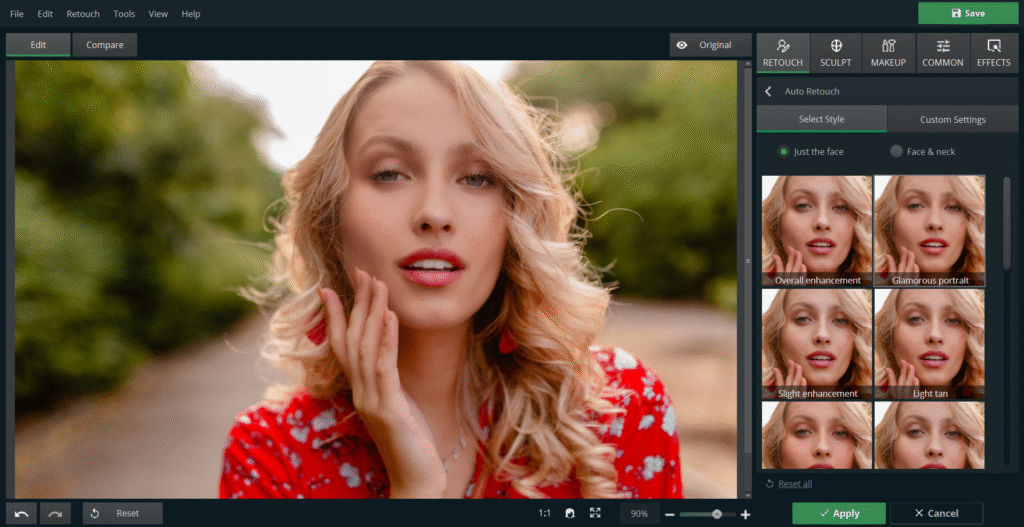
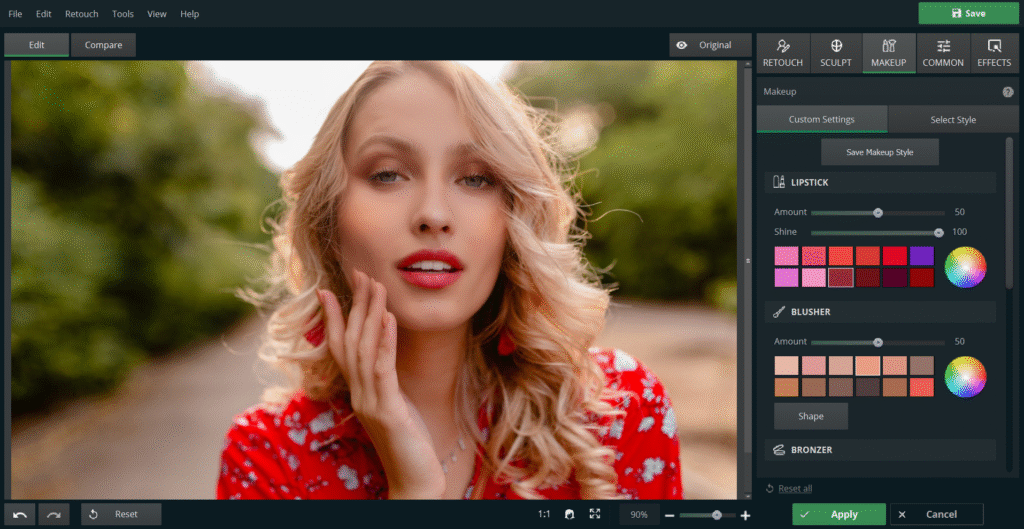
1. PhotoDiva – Smart AI Retouching for Windows Users
Let’s start with one of the most powerful tools for editing portraits on Windows: PhotoDiva. This AI-powered portrait editing software is built for people who want great results without a steep learning curve.
If you’re using a Windows PC and want something intuitive but still powerful, PhotoDiva is a standout choice. It’s a free portrait editor designed specifically for facial retouching. The AI tools handle most of the work for you — ideal if you're not a pro. You won’t need to deal with layers or complicated settings. Just load your image and let the software go to work.
What makes PhotoDiva a great portrait tool?
Its automatic retouching tools are genuinely smart. They smooth skin, remove blemishes, whiten teeth, and even subtly reshape facial features. And importantly, the edits look real, not fake or overdone. You also have the option to tweak every detail manually for more control.
Pros:
- AI-powered one-click retouching
- Beginner-friendly interface
- Natural-looking results
- Completely free portrait editor
Cons:
- Doesn’t include creative effects or filters
- Only available on Windows
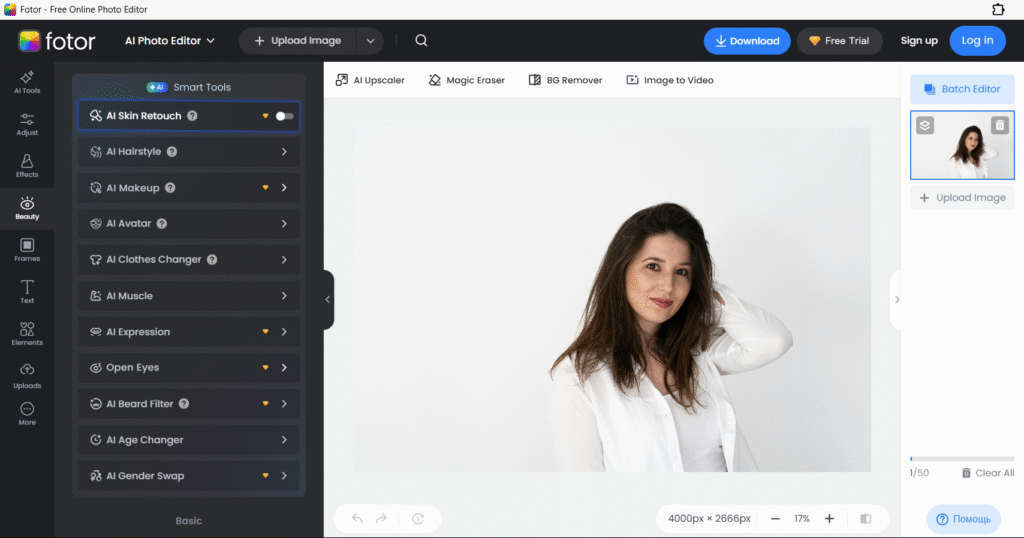
2. Fotor – All-in-One Online Portrait Editor
Fotor is a web-based portrait editor that boasts a user-friendly interface with a decent variety of retouching tools. It's a good option if you don't want to download anything. Upload your photo, make a few changes, and you're done.
There will be useful functions like smoothing out the skin, getting rid of acne spots, wrinkle reduction, even face re-shaping. It's all easily accessible with a beginner-friendly UI.
Pros:
- Accessible from any device
- No need to install anything
- Simple, effective portrait photo editor features
- Fast editing process
Cons:
- Some features locked behind a sign-up wall
- Occasional ads
- Not as deep as full portrait editing software
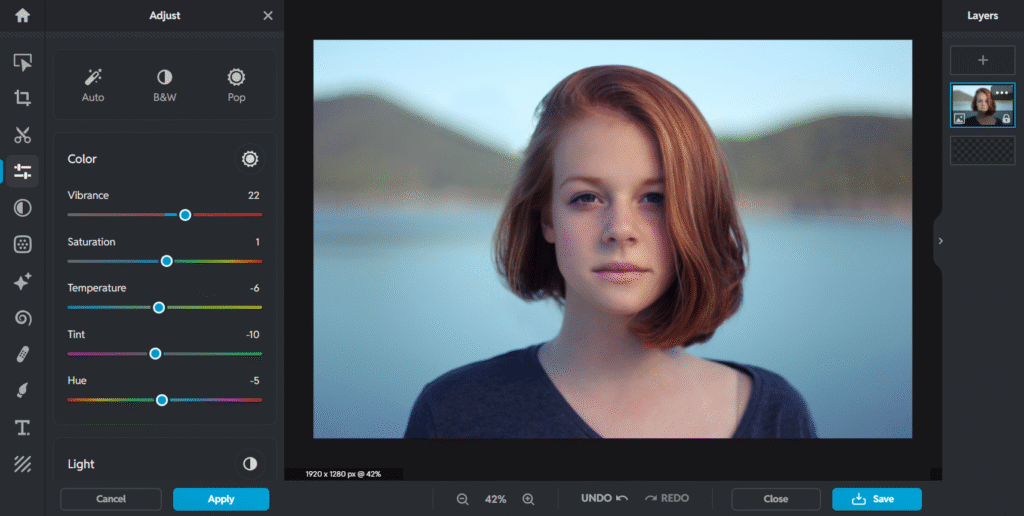
3. Pixlr – Fast and Flexible Free Portrait Editor Online
Pixlr is another strong web-based portrait editor, offering more flexibility for those who want hands-on control. It comes in two versions: Pixlr X for beginners, and Pixlr E for more advanced users. Both versions are free and don’t require an account.
For portraits, you can use healing tools, brightness and contrast settings, smoothing effects, and more. It’s not specialized portrait software, but it still gives good results if you know what you're doing.
Pros:
- Runs entirely in your browser
- No registration needed
- Strong set of editing tools
- Great for fast portrait corrections
Cons:
- UI may feel overwhelming at first
- Manual edits require a steady hand
- Free version has ads
4. Canva Photo Editor – Clean and Creative Portrait Tweaks
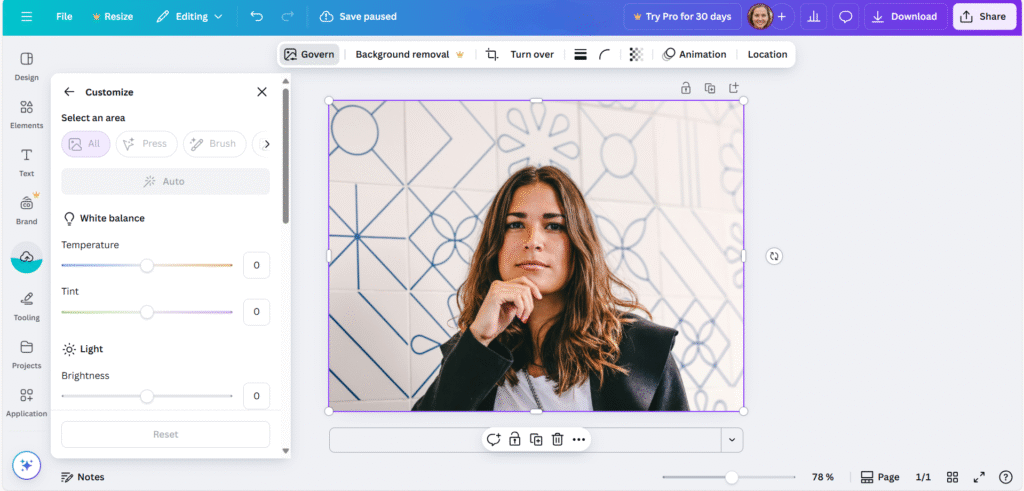
Canva Photo Editor is more about design, but it works well for quick portrait updates. If you want to brighten a selfie, crop a headshot, or apply a soft filter before posting online, it gets the job done fast. It’s available both online and as a mobile app.
It doesn’t offer heavy-duty retouching tools like some dedicated portrait editing software, but it’s great for fast, stylish adjustments.
Pros:
- Super easy to use
- Great for social media visuals
- Online and mobile versions
- Fast results for simple needs
Cons:
- Lacks advanced retouching features
- No AI-powered tools
- More focused on layout than portrait touch-ups
Final Thoughts
Those pro-budget days when a pro-appearing portrait was needed? Forget it. With a free program such as PhotoDiva, Fotor, Pixlr, or Canva, you have total power in the palm of your hand. If you're a complete newbie intimidated by complex software or just a quick profile pic makeover-seeking kind of person, these apps do it easily and effectively.
Invest a little time exploring them. Learn the basic sliders for skin smoothing and teeth whitening. Experiment with background removal. You'll be amazed at how much more confident and professional your online presence looks. Happy editing!



Some of these apps I hadn't heard of before reading this post. It's good to know that there are different options and apps to edit a professional portrait! x
Lucy | http://www.lucymary.co.uk
I've not heard of all of these apps so I'll bookmark them all. Thank you!
Rosie